Publish apps you made with AI
Publish AI-made apps: Bzzdex
One file, one link. Share the little apps you make with AI.
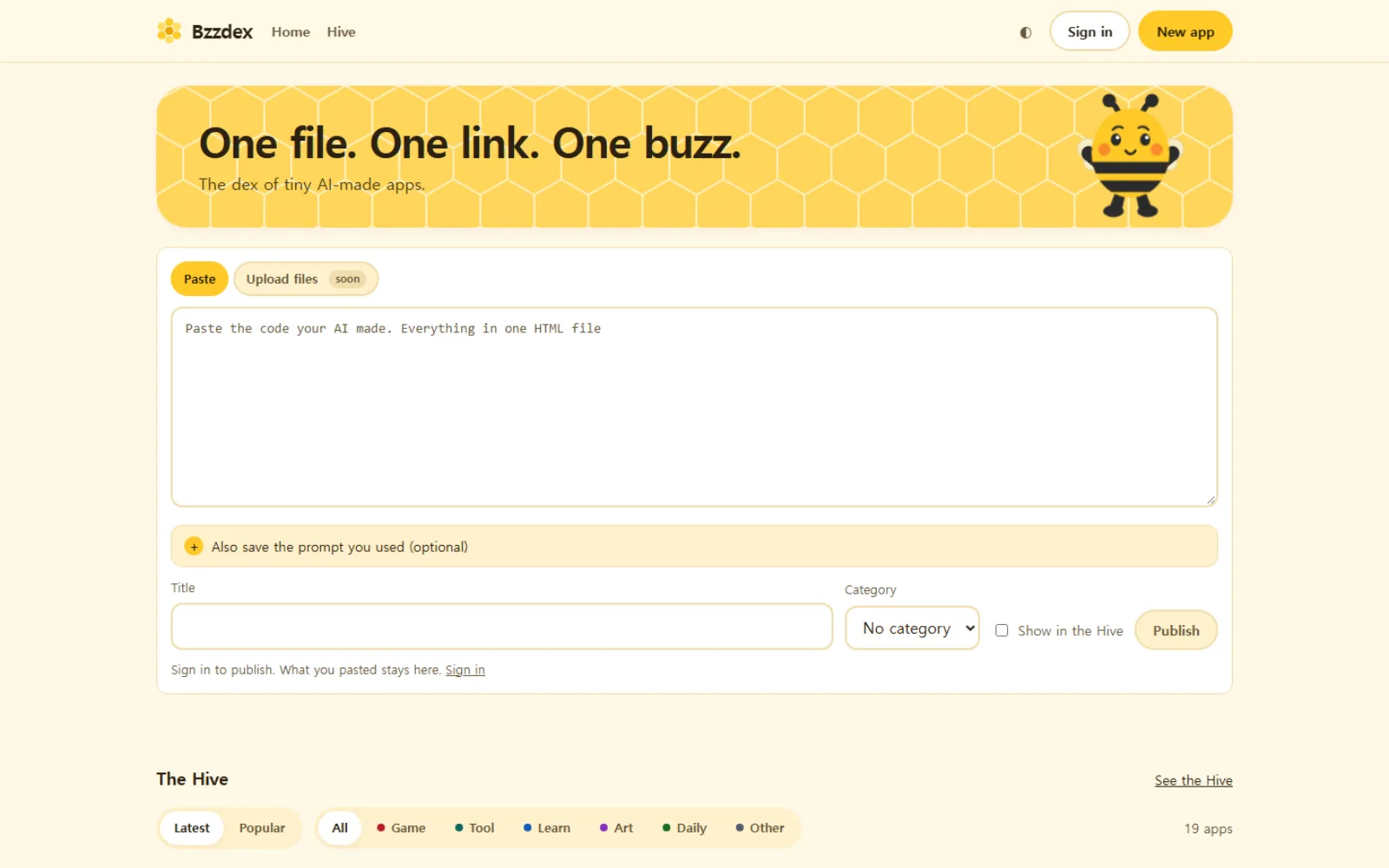
Paste the HTML an AI gave you — ChatGPT, Claude, Gemini, any of them — press publish, and it becomes an app at yourapp.bzzdex.com. No server, nothing to install. Stuck for an idea? Pick one of 50 prompt examples, from tic-tac-toe to a timer to a word quiz.
Ask an AI today and a game or a calculator appears in seconds. The hard part comes next: getting that code to open on a friend's phone. Bzzdex is built so you never need to learn hosting or domains — one paste, one link.
Worth knowing before you publish
One HTML file is the app
HTML with its CSS and JavaScript inside is all it takes. Every prompt example asks the AI for exactly that single file.
Published apps get a second look
Apps go through an automatic review, and each one has a report button. Make an app private or delete it and it leaves the hive and gallery too.
Log in to publish
The hive and gallery are open without logging in. Publishing needs a Google login, and only people aged 14 or older can create an account.
What is in it
- 50
- prompt examples to start from
- 6
- prompting techniques pointed out in the examples
- 6
- categories, from games and tools to art
- 4
- Korean · English · Japanese · Spanish
How it was built
Every app gets its own address
Publish and the app lives at an address like yourapp.bzzdex.com. Send the link and it opens straight away on any phone, no sign-up needed.
Choose, and the prompt rewrites itself
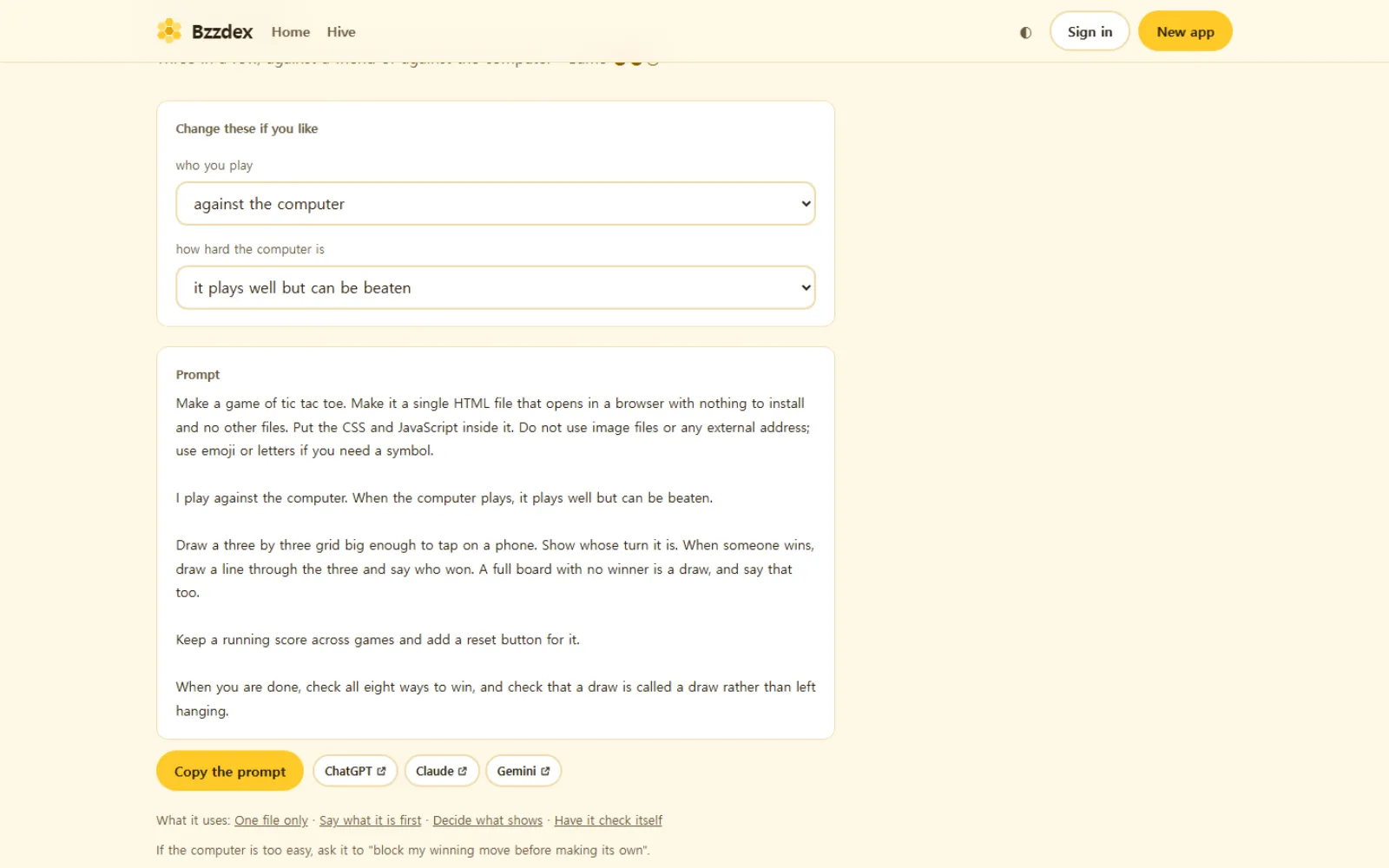
Pick the opponent, the difficulty and so on, and the prompt changes on the spot. Copy it, or open it in a new ChatGPT or Claude chat.
Public apps get a dex number
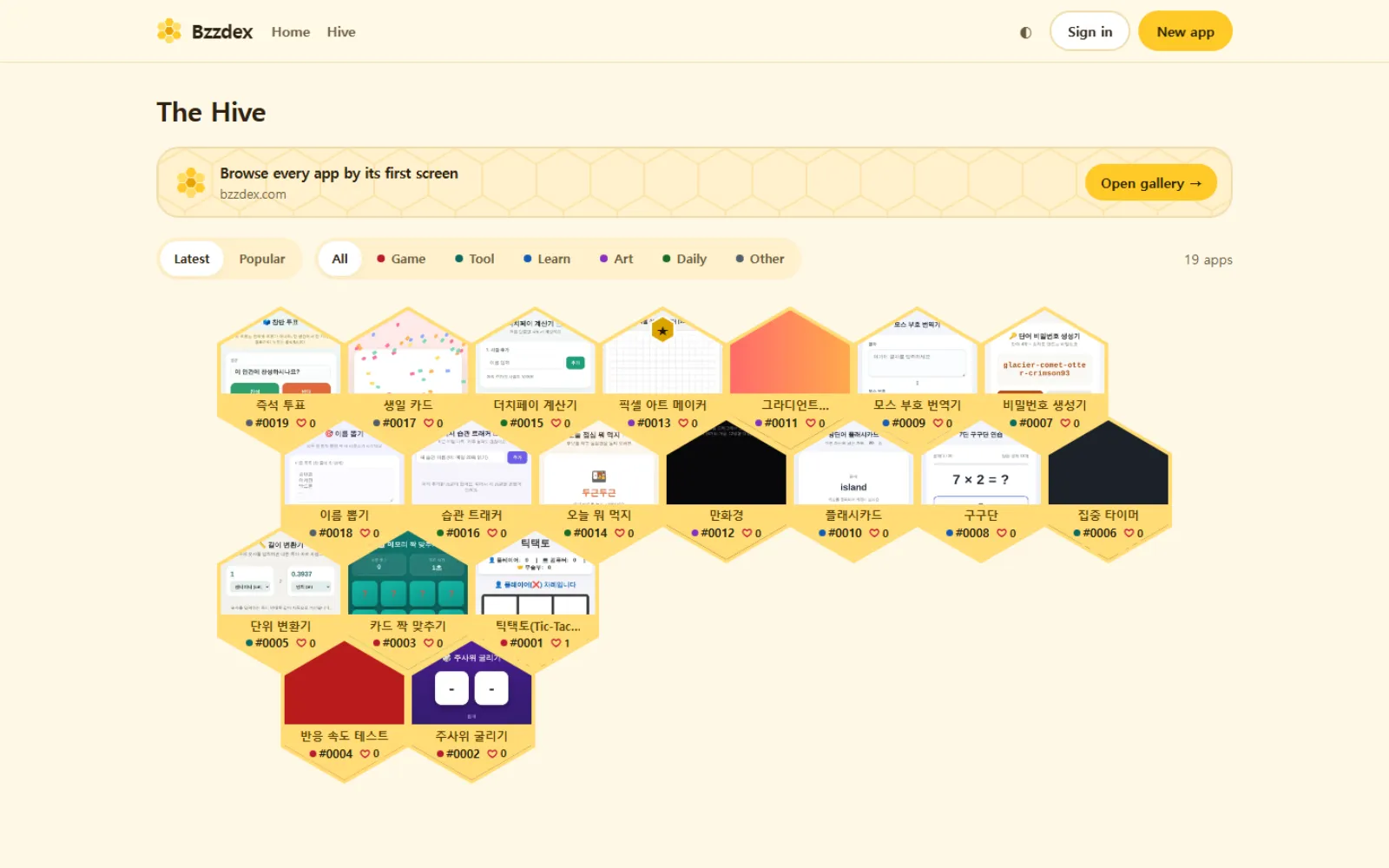
Share an app to the hive and it gets a number like #0001. As likes pile up its border changes colour, and editor's picks wear a gold star.
See the first screen before you tap
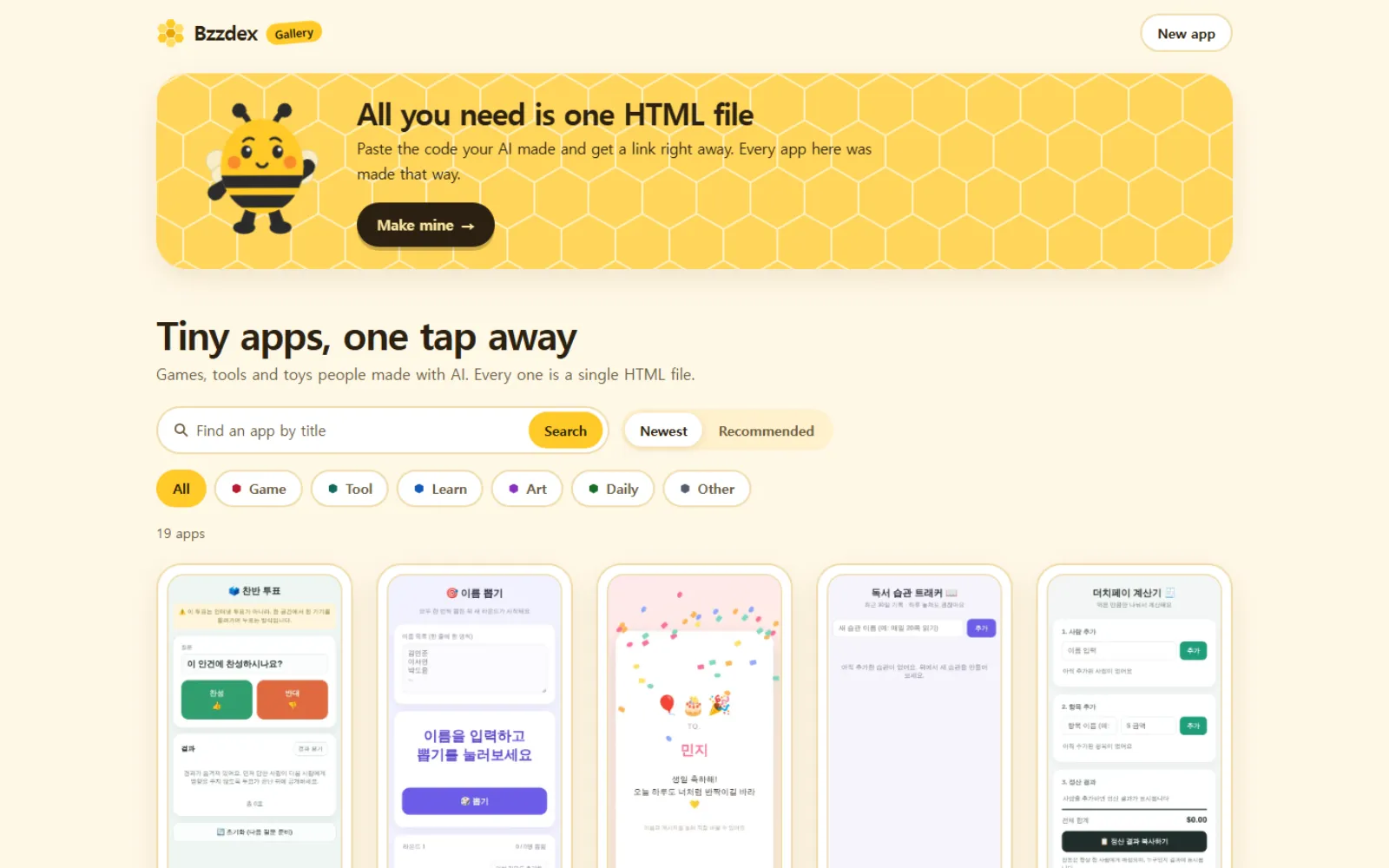
The bzzdex.com gallery keeps a phone-sized snapshot of every app, so you know what it is before opening it. Search by title or sort by recommended.
The home page and a prompt example
The home page is little more than a box to paste code into. On a prompt example you choose the options, then copy the prompt or send it to an AI.
The hive and the gallery
The hive crops the top of each app's first screen into a hexagon, in dex order. The gallery shows larger phone previews and loads 20 more at a time.
Who it is for
- People who made a game with AI and had no way to show a friend
- Teachers who want to share small apps made in class with one link
- Anyone who can't code but would like a little tool of their own